See what your agent actually does
Know what your AI agents cost, what they touch, and when they go rogue.
Built for OpenClaw. Ready for any agent.
“I built Podwatch after my agent burned $200 in a single weekend without me noticing.”
Join developers who monitor their AI agents.
YOUR LOGS · YOUR MACHINE · YOUR CONTROL
$10/day
What a single agent can cost you daily.
A moderately active agent on Opus burns through ~1M input and ~200k output tokens daily — that's $300/month on API costs alone. Podwatch gives you real-time cost control to prevent budget blowouts.
podwatch --live
Your dashboard, at a glance
Real data. Real insights. See exactly what your agents are doing and spending.
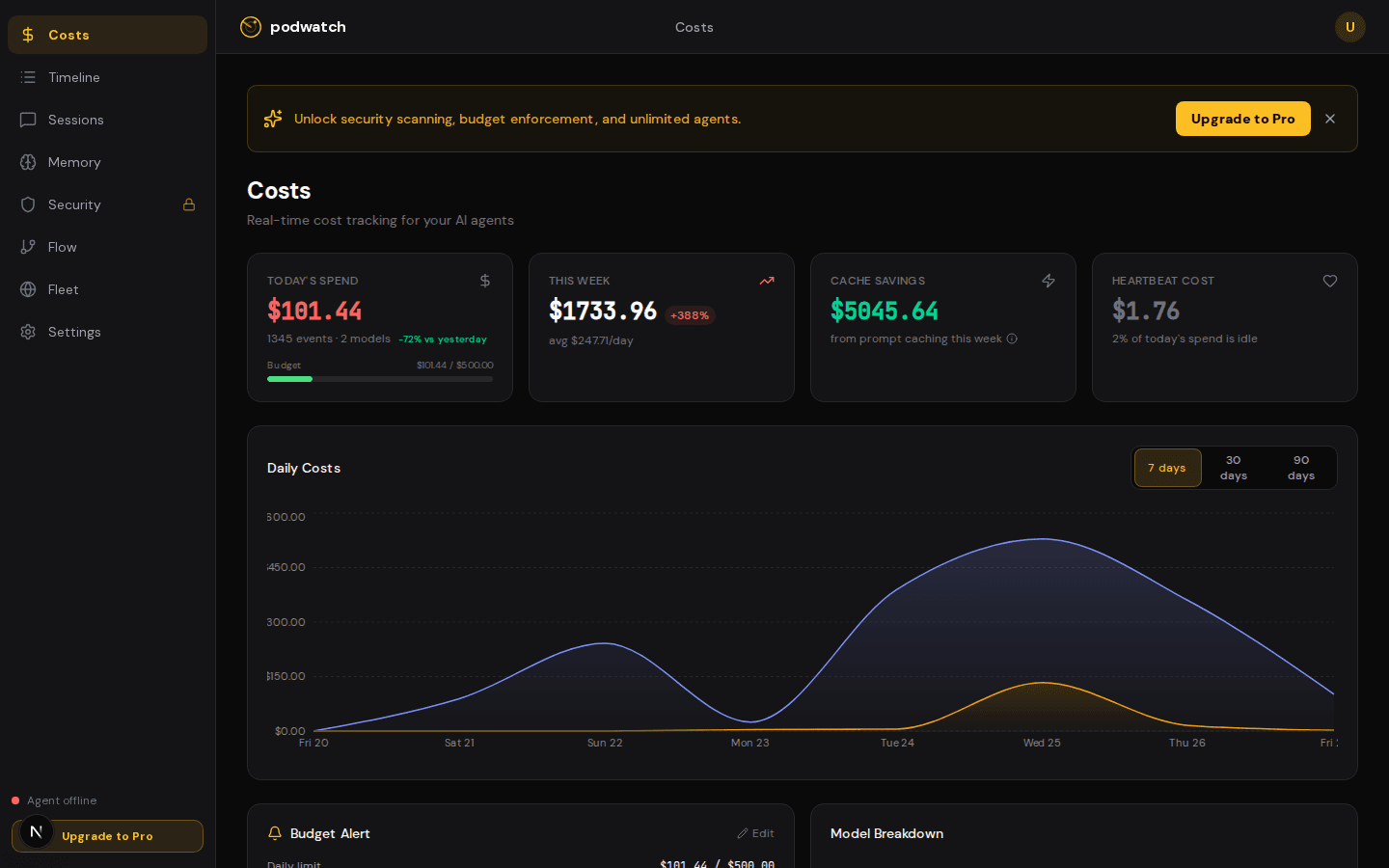
💰 Cost Tracking — per-model, per-session breakdowns
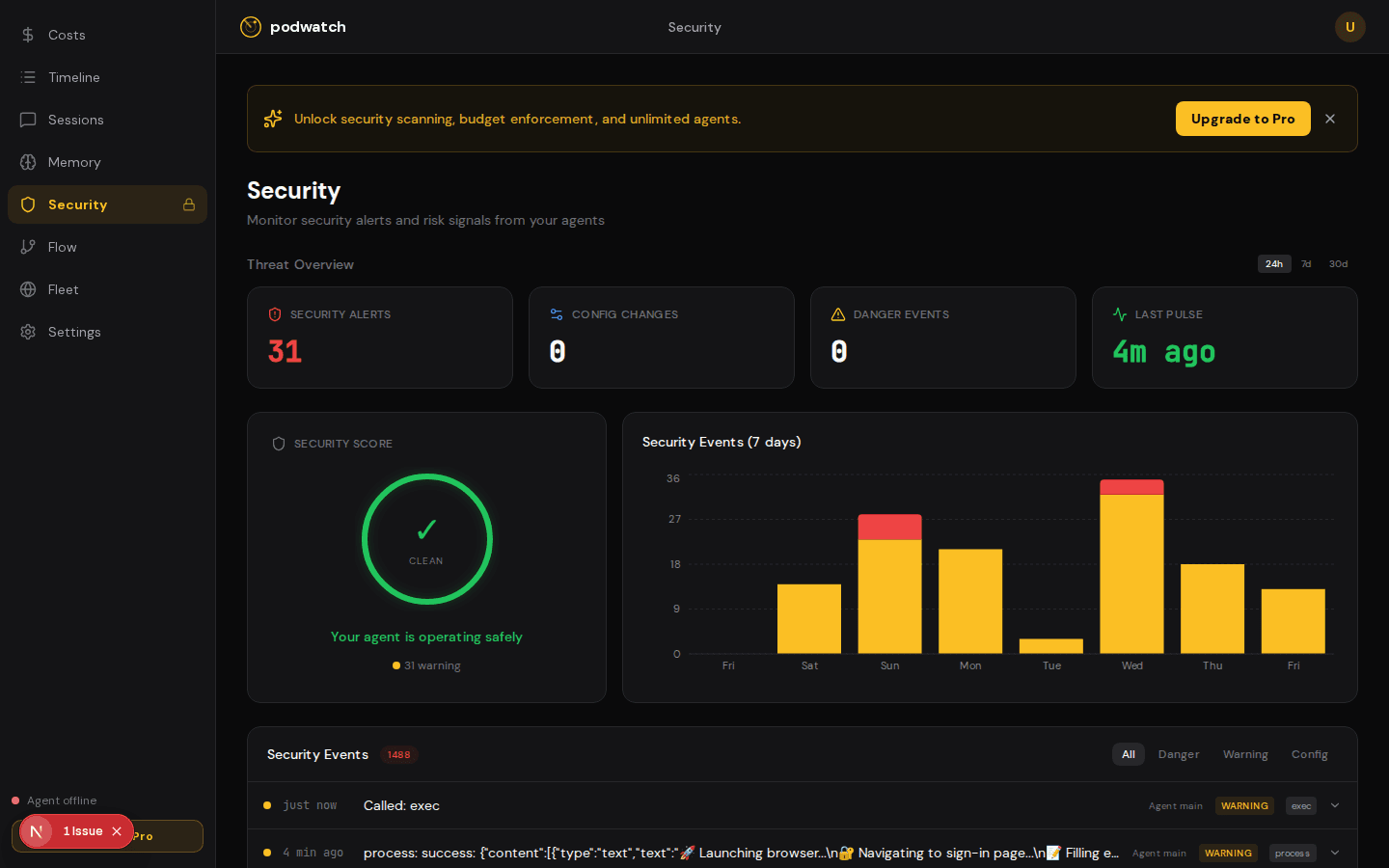
🛡️ Security Monitoring — threat detection & alerts
NEWLY SHIPPED
Beyond cost tracking
Full observability for your AI agent fleet — from data flow visualization to session replay.
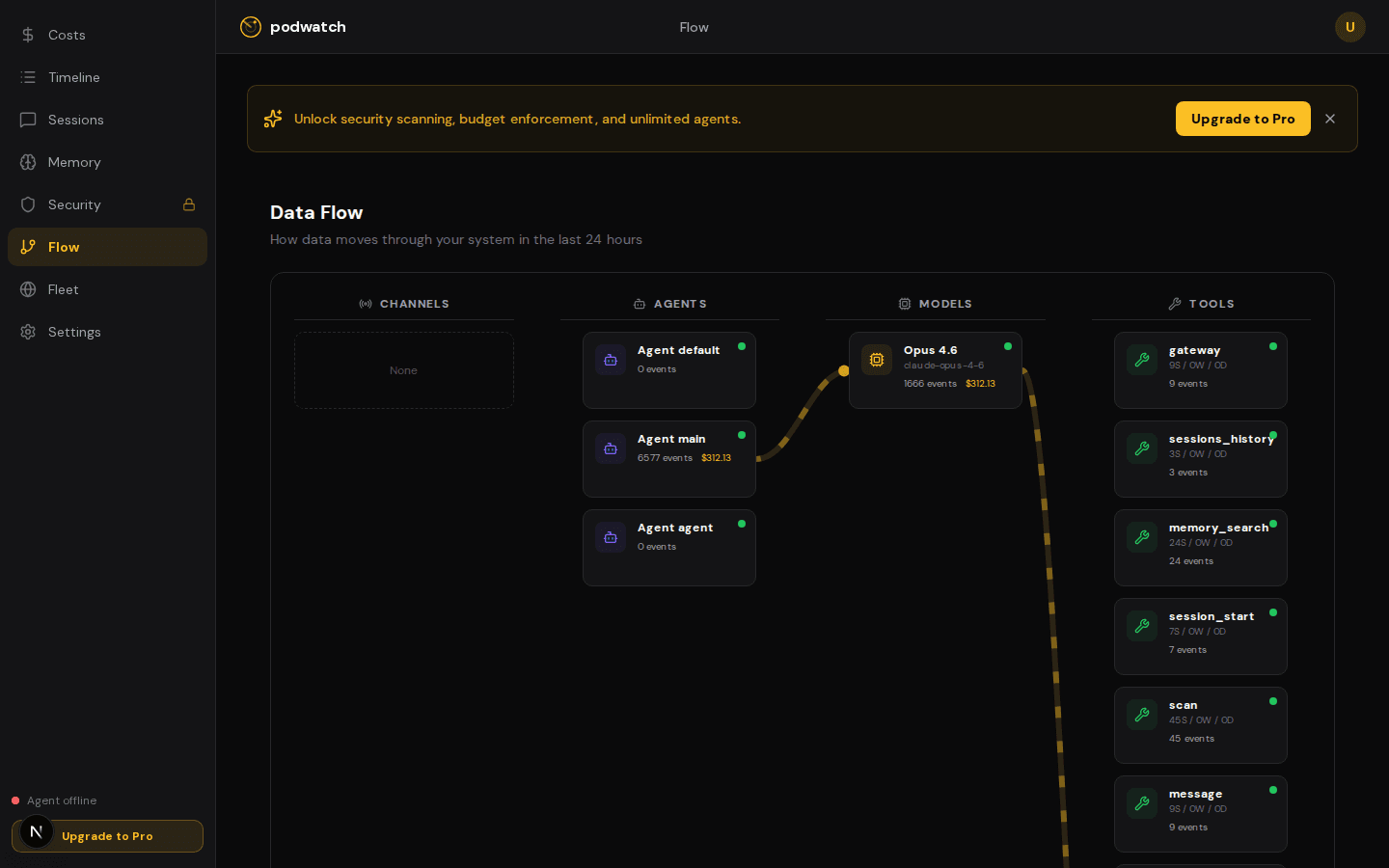
See how data flows through your agents
Interactive diagram showing channels → agents → models → tools. Spot bottlenecks, track which models each agent uses, and see tool invocation patterns at a glance.
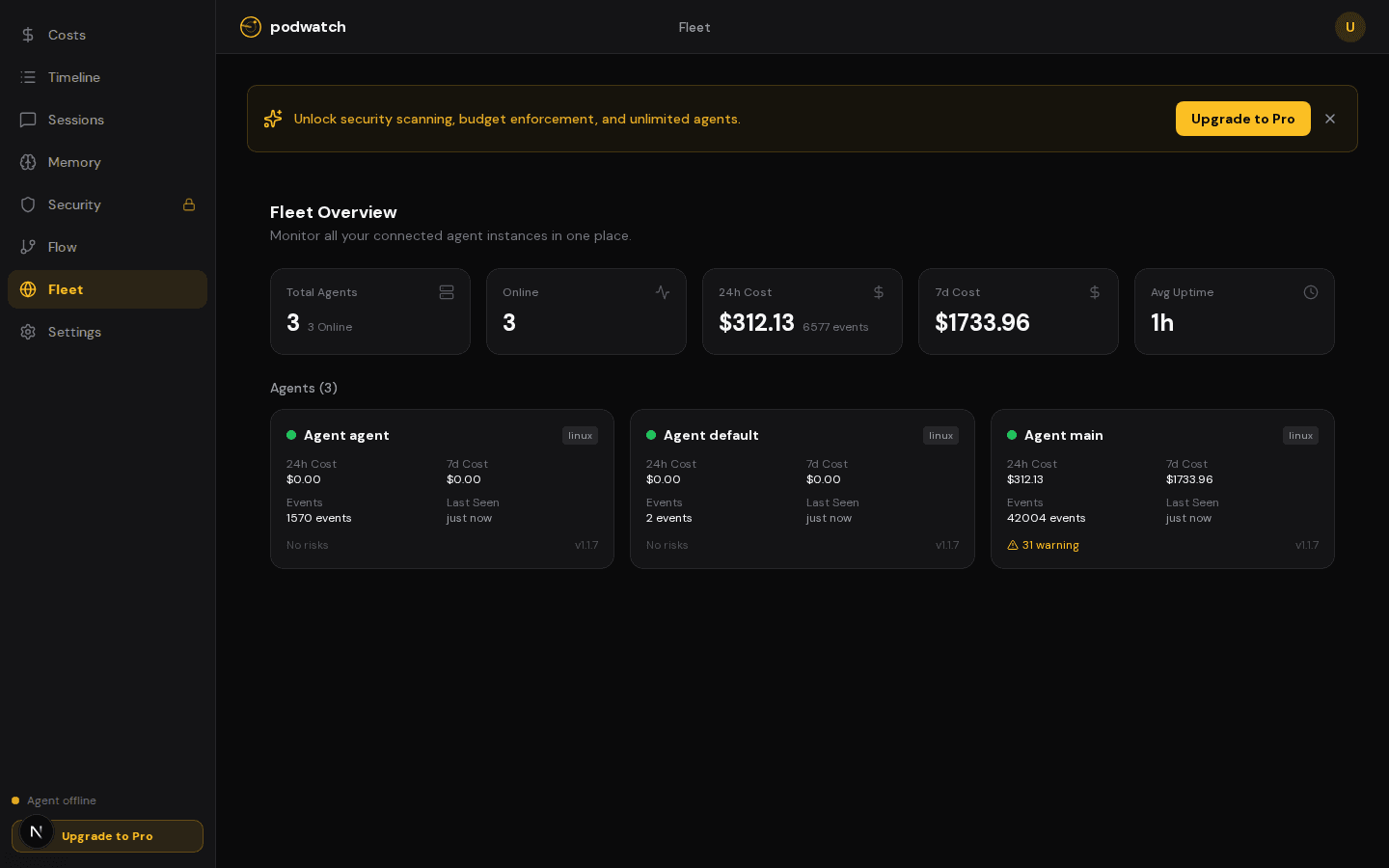
Multi-agent monitoring
See all your agents in one place — status, costs, event counts, and system info. Know instantly which agents are active and which need attention.
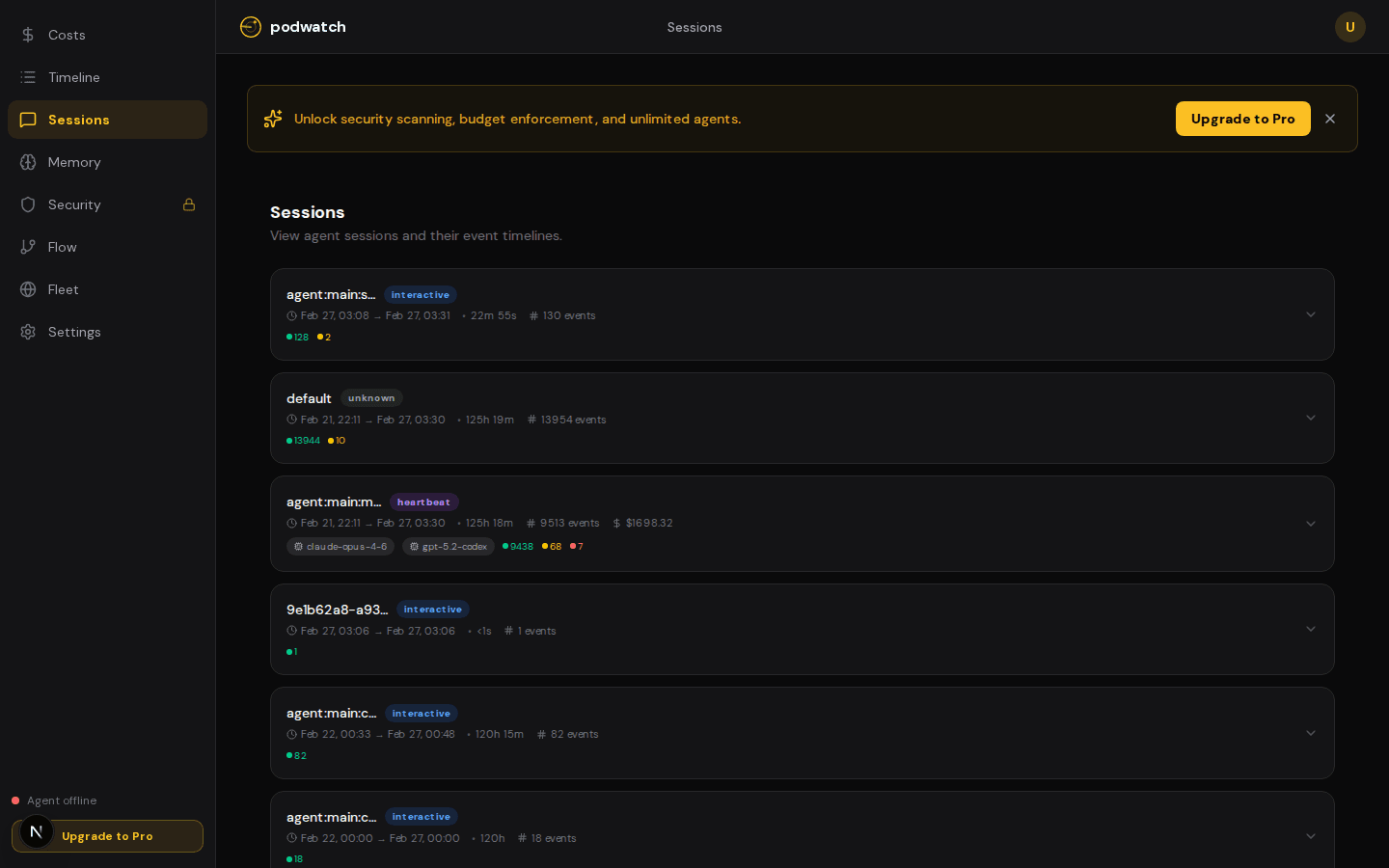
Session-level detail
Drill into any session to see event timelines, model usage, costs, and duration. Replay what your agent did in every session.
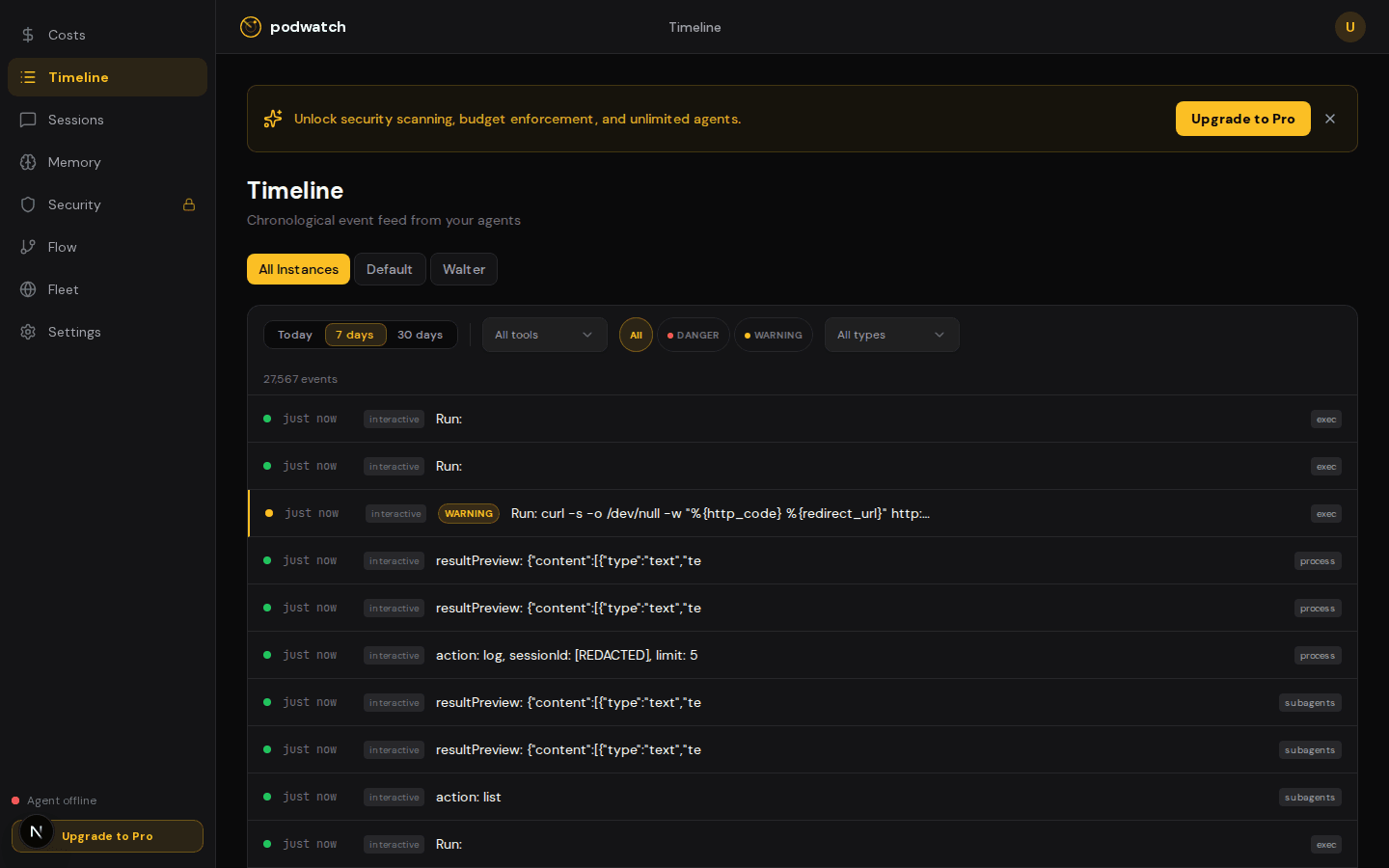
Every action, timestamped
Chronological feed of everything your agent does — shell commands, file reads, API calls — with risk classification and smart filters. Find the needle in 27,000+ events.
Total Visibility, Zero Hassle
Everything you need to confidently deploy autonomous agents.
Get started in minutes.
No complex setup. No credit card required. Just one command.
Install Plugin
Add Podwatch to your agent's environment.
Connect Agent
Add your API key to start streaming events.
Monitor
Watch your agent's activity in the dashboard.
Simple, Fair Pricing
Free forever. Upgrade to Pro for $12/mo when you need more.
Less than 1 hour of unmonitored agent cost.
- Unlimited Agents
- Real-time Monitoring
- Security Alerts
- Cost & Budget Controls
- Local-First Audit Logs
- Community Support
Free forever. No credit card required.
Frequently Asked Questions
Podwatch uses a local-first architecture. The plugin runs on your machine, collects all data locally, and stores it in an on-disk audit log. Only the data you explicitly configure (like anonymized usage stats or budget alerts) is sent to our servers. Your agent's internal logs and secrets never leave your control.
We are built from the ground up for the OpenClaw framework. Our plugin is designed to integrate seamlessly with its tool and lifecycle hooks. We plan to support other popular frameworks like LangChain and CrewAI in the future.
Yes! The Free plan is forever-free with no credit card required. You get 2 agents, 7-day data retention, unlimited events, cost tracking, and health scores. Upgrade to Pro ($12/mo) anytime for security scanning, budget enforcement, AI analysis, and more.
The data collection plugin is source-available and runs locally on your machine. The dashboard and alert processing systems are managed services. We may explore self-hosted options in the future — contact us if this is important to you.
Privacy-first by design
The plugin collects data locally and transmits only what you allow. Audit logs stay on your machine. The collector plugin is source-available — inspect every line of code.
Stop guessing. Start monitoring.
Gain the confidence to deploy your AI agents into production. Try Podwatch free for 7 days.
Get Started Free